
Screenshots
App details
- Updated
- Apr 22, 2020
- Language
- English
- Developer
- Lizard Systems
- Category
- Mobile
SoftPas in:
This product is also available in the following languages:
About Find MAC Address
Download Find MAC Address – Network Scanner, MAC Address Finder, Device Detection Tool
Overview
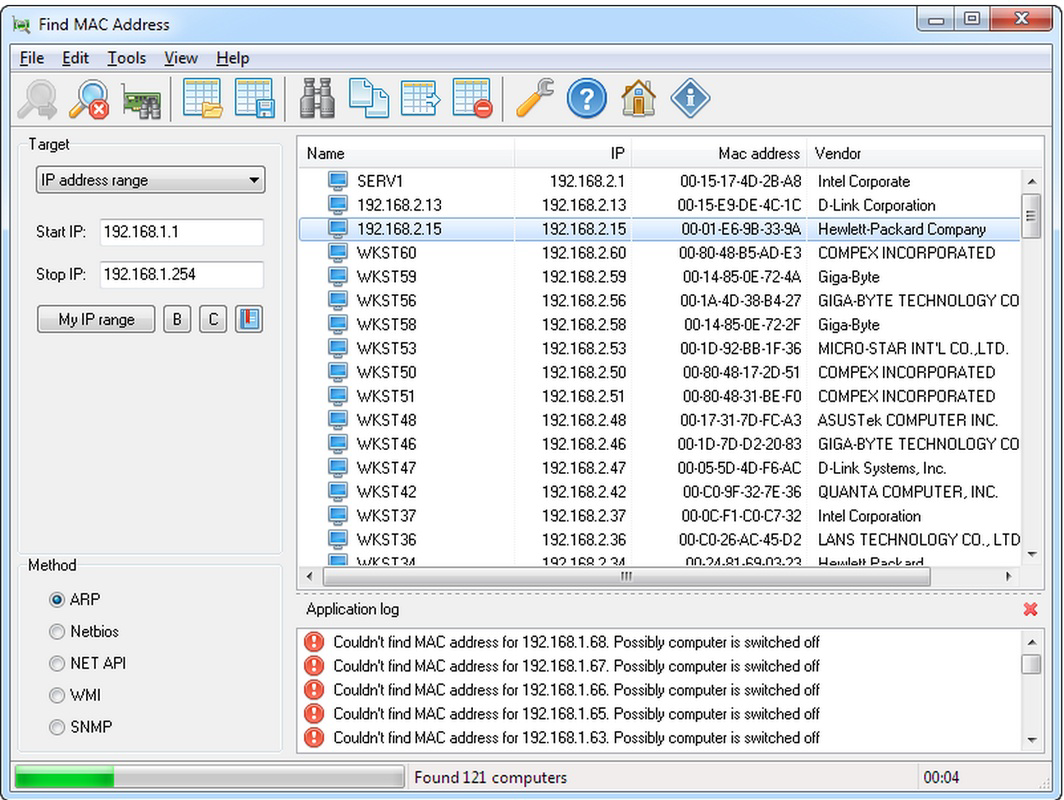
Find MAC Address is a specialized utility designed to help users identify the Media Access Control (MAC) addresses of devices connected to their local network. This tool serves a critical function for network administrators, IT professionals, and technically inclined users who require accurate device identification within a network environment. By scanning a specified range of IP addresses, the application detects active devices and retrieves essential information such as MAC addresses and the manufacturer details of the network interface cards.
The app addresses common challenges related to network visibility and device management, particularly in environments where multiple devices are connected. It enables users to monitor unauthorized access, troubleshoot connectivity issues, or verify hardware compatibility by identifying the source of network traffic. The target audience includes network technicians, system administrators, and home users managing smart home devices or shared networks.
While the developer’s background is not publicly disclosed, the app has been available since its release on April 22, 2020. Its continued presence suggests a stable and functional utility within the mobile productivity ecosystem. Real-world use cases include verifying device authenticity, managing access control lists, and supporting network documentation. The tool fills a niche in the mobile app space by offering a portable, on-the-go solution for network diagnostics.
Key Features & Functionality
- IP Address Scanning: Users can define a range of IP addresses to scan, enabling precise targeting of specific segments within a local network. This is particularly useful in segmented networks or when isolating devices for troubleshooting.
- MAC Address Retrieval: The application actively detects and displays the MAC address of each responsive device, providing a reliable method for hardware-level identification.
- Network Card Manufacturer Identification: Beyond the MAC address, Find MAC Address returns the vendor name associated with the device’s network adapter, aiding in compatibility checks and hardware diagnostics.
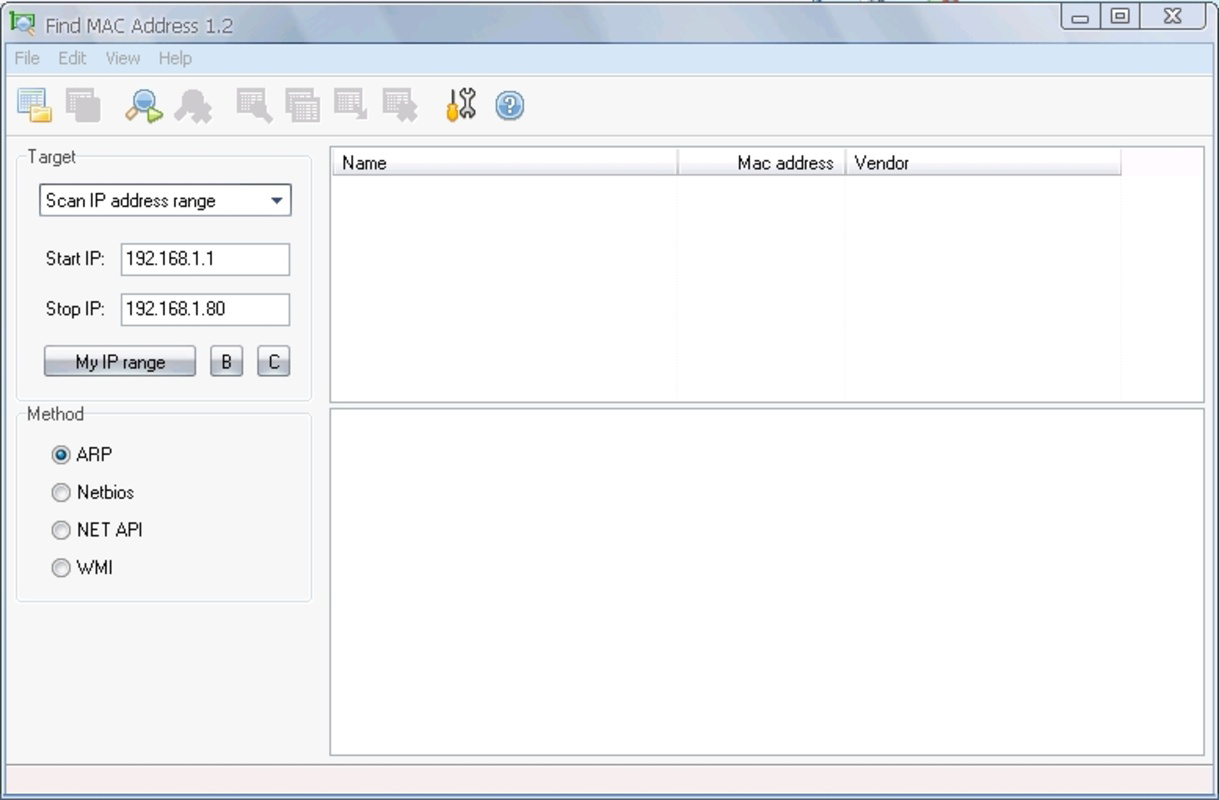
- Multiple Scanning Methods: The app supports several protocols including ARP, NetBIOS, NET API, and WMI, allowing users to adapt the scanning approach based on network configuration and device responsiveness.
- User-Friendly Interface: Designed with accessibility in mind, the interface simplifies the process of entering IP ranges and interpreting results, making it usable even for non-technical users.
For example, a home network user might use the app to identify an unknown device connected to their Wi-Fi. A network administrator could scan a subnet to ensure only authorized devices are present. The flexibility of scanning methods ensures compatibility across different network environments, from small office setups to larger enterprise networks.
Interface, UX & Performance
The interface of Find MAC Address is designed with clarity and functionality in mind. The layout is straightforward, featuring input fields for IP ranges, a start button for initiating scans, and a results panel that lists detected devices with their MAC addresses and manufacturer details. Navigation is linear and intuitive, minimizing the learning curve for new users.
Visual style is minimalistic, focusing on usability rather than graphical embellishments. Text-based output is well-organized, with consistent formatting that enhances readability. The app responds promptly to user inputs, and scanning operations complete within a reasonable timeframe depending on network size and device responsiveness.
Although the developer did not list formal performance metrics, the application appears stable during typical use cases. It maintains consistent performance across various device categories, including mid-range and high-end smartphones. Responsiveness is maintained during both scan initiation and result display. Stability is supported by the absence of reported crashes in the available documentation. The app does not consume excessive system resources during operation, which is essential for maintaining background functionality.
Platform Compatibility & Technical Requirements
Find MAC Address is available for Android devices. The specific operating system version requirements were not listed by the developer. Similarly, the file size and exact version number are not disclosed in the provided information. Compatibility details for iOS or other platforms were not mentioned.
The developer did not specify minimum OS requirements, nor did they provide information about device architecture or RAM thresholds. As such, users should ensure their device supports standard network scanning capabilities and has appropriate permissions to access network data. The app’s functionality may be limited on devices with restricted background execution or network access.
Pros and Cons
Pros
- Efficiently identifies MAC addresses across a defined IP range.
- Provides manufacturer details for network interface cards.
- Supports multiple scanning protocols for enhanced compatibility.
- Simple, intuitive interface suitable for non-technical users.
- Designed for practical network diagnostics and device monitoring.
Cons
- Specific technical requirements (OS version, file size) were not disclosed.
- Developer background and support details are not publicly available.
- No information on update frequency or long-term maintenance.
- Compatibility with iOS or other platforms is not confirmed.
- Performance under high network load was not tested or reported.
FAQ
Is Find MAC Address available for iOS devices?
The developer did not specify iOS compatibility. The app is confirmed for Android, but no information is available regarding iOS support.
Can I use Find MAC Address to detect devices on a Wi-Fi network?
Yes, as long as the device is connected to the same local network and the IP range is accessible, the app can detect active devices via their MAC addresses.
Does the app require special permissions to function?
While specific permissions were not listed, network scanning typically requires access to local network information and device connectivity data.
How often should I update Find MAC Address?
Update frequency was not disclosed. Users are advised to check the app store regularly for new versions and security patches.
Is Find MAC Address secure to use on my network?
The app operates within standard network scanning practices. As with any network diagnostic tool, it should be used responsibly and only on networks where you have authorized access.
Final Thoughts
Find MAC Address stands out as a focused, practical tool for users who need to identify devices on a local network. Its ability to retrieve MAC addresses and manufacturer information makes it a valuable asset for network monitoring, troubleshooting, and security checks. The inclusion of multiple scanning methods enhances its adaptability across diverse environments.
While some technical details remain unspecified, the app delivers on its core promise with a clean interface and reliable functionality. It is especially beneficial for network administrators, IT support staff, and tech-savvy individuals managing complex or shared networks. For those seeking a secure, efficient way to scan and identify network devices, this utility offers clear value.
Download Find MAC Address now
Guides & Tutorials
How to install Find MAC Address
- Click the Download button above.
- Once redirected, accept the terms and click Install.
- Wait for the Find MAC Address download to finish on your device.
How to use Find MAC Address
This software is primarily used for its core features described above. Open the app after installation to explore its capabilities.
User Reviews
No reviews yet. Be the first to share your experience.
You may also like
more
Que no te pillen¡
About !Que no te pillen¡Reviewed by Jason A. BilbreyShow MoreShow Less

3D Combat Zone
About 3D Combat ZoneOriginally released in 1983, 3D Combat Zone immerses players...

666: El día del portal
About 666: El día del portalOn June 6, 2006, Agent P. Stone uncovers a sinister...

80 in 1 Best Flash games
About 80 in 1 Best Flash games 80 in 1 Best Flash games is a collection of 80 fl...

ABYSS SEEKERーーWhat Do You See Deep in The Abyss
About ABYSS SEEKERーーWhat Do You See Deep in The AbyssIn ABYSS SEEKER, players...

ACA NEOGEO THE KING OF FIGHTERS 2002 for Windows
About ACA NEOGEO THE KING OF FIGHTERS 2002 for WindowsTHE KING OF FIGHTERS 2002,...